Profile guide
Keycap profiles explained.
Profile is the single biggest change to how a keyboard feels and sounds — before switches, before material. Here is every common profile, from the factory that tools and moulds them, so you can pick the right one for a custom set.
Sculpted profiles change shape row by row to cup your fingers: Cherry (low, popular), OEM (taller, stock default), SA (tall, spherical, deep sound), MDA / MT3 (medium, spherical). Uniform profiles use one shape on every row for easy key swaps and full-surface art: XDA (flat, roomy), DSA (low, spherical), KAT / KAM (medium). OSHID tools Cherry, OEM, SA, XDA, DSA, MDA, CSA, OMA, OSA, ASA and low-profile, plus custom sculpts.
Sculpted vs uniform — the first fork
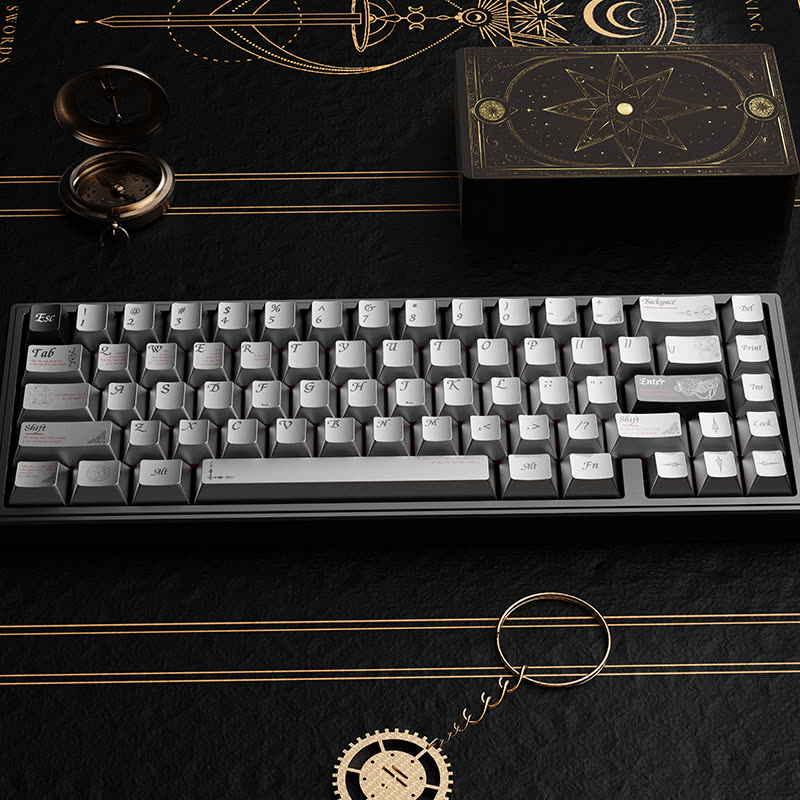
Every profile is either sculpted or uniform. Sculpted profiles give each row a different height and angle so the keyboard "cups" toward your fingers — more ergonomic for touch typing, but the rows are not interchangeable. Uniform profiles make every row identical, so any cap fits any position — ideal for rearranging keys, ortho/ergo boards, and full-surface artwork that has to line up across rows.
Every common profile, compared
| Profile | Type | Height | Top | Feel & sound | Best for |
|---|---|---|---|---|---|
| Cherry | Sculpted | Low | Cylindrical | Comfortable, low, quieter | The enthusiast default; most sets |
| OEM | Sculpted | Medium | Cylindrical | Familiar, stock-keyboard feel | Replacement sets, gaming, safe choice |
| SA | Sculpted | Tall | Spherical | Vintage, deep "thock" | Statement builds, retro themes |
| MDA | Sculpted (light) | Medium | Spherical | Between SA and XDA, roomy dish | Comfort + artwork |
| XDA | Uniform | Low-medium | Flat, spherical | Roomy, flat, evenly sized | Artwork sets, ortho, rearranging |
| DSA | Uniform | Low | Spherical | Short, smooth, compact | Uniform look, small dish lovers |
| CSA / OSA / ASA | Sculpted | Med–tall | Spherical | SA-inspired, easier on hands | SA look with less height |
| Low-profile | Sculpted (flat) | Very low | Flat | Laptop-like, fast | Slim boards, travel |
How to choose a profile for a custom set
- Safe, universal feel → Cherry or OEM. Most buyers, most keyboards.
- Statement look & deep sound → SA (or CSA/OSA/ASA for the look with less height).
- Full-surface artwork or ortho / rearranging → XDA or DSA (uniform, so art lines up and caps swap freely).
- Slim / low-profile boards → low-profile keycaps (not interchangeable with normal-height profiles).
Profile also affects tooling: a new custom sculpt means a new mould family, which factors into cost and MOQ. Using a profile we already tool avoids that. Profile pairs with material and legend process to define the final set.
Profiles we tool in-house
OSHID moulds Cherry, OEM, SA, XDA, DSA, MDA, CSA, OMA, OSA, ASA and low-profile keycaps, and we cut custom sculpts when a brand needs a proprietary profile. See the interactive profile heights on our homepage profile section, or send a spec and we'll confirm the right profile for your set.
FAQ
What is a keycap profile?
The shape, height and sculpt of the caps across the board. Sculpted profiles vary row by row; uniform profiles use one shape everywhere.
What's the difference between Cherry and OEM?
Both are sculpted and cylindrical, but OEM is taller. Cherry is the low enthusiast favorite; OEM is what most stock keyboards ship with.
Which profile is best?
Preference-based: Cherry/OEM are safe defaults, SA is tall with deep sound, XDA/DSA are flat and uniform for artwork and rearranging.